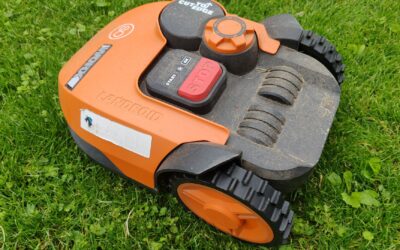
To extend wifi for your robot lawn mower, you need to improve the signal strength between your router and the mower’s charging base. The most effective solutions include moving your router closer, using a wifi range extender, upgrading to a mesh network, or installing a powerline adapter. You should also check that your mower is using the correct frequency band (2.4 GHz) and that no physical obstructions are blocking the signal. With the right approach, you can ensure your robot mower stays connected even in larger yards.

Pros
- Wire-free setup saves time and avoids unsightly perimeter wires.
- RTK+Vision navigation works reliably in challenging garden layouts.
- AI obstacle detection enhances safety and protects your mower.
- Multi-zone management lets you customize mowing for different areas.
- Quiet operation suitable for noise-sensitive environments.
Cons
- Limited to lawns up to 1/8 acre, not suitable for larger properties.
- Anti-theft tracking requires an optional 4G module purchase.
- No user reviews yet, so long-term reliability is unproven.
The Segway Navimow i105N is a wire-free robotic lawn mower designed for small to medium lawns up to 1/8 acre. It targets homeowners who want a hassle-free mowing experience without burying perimeter wires. The standout feature is its RTK+Vision navigation system, which combines real-time kinematic positioning with a camera to deliver centimeter-level accuracy even under trees or in narrow passages.
Setting up the Navimow i105N is impressively simple. You guide it with your smartphone to map virtual boundaries, and the AI-assisted mapping feature automatically identifies lawn edges and completes the map. Once running, it mows in systematic patterns to ensure full coverage and changes direction after each pass to minimize tracks. The 140-degree camera and AI algorithms detect over 150 types of obstacles, from toys to pets, providing reliable collision avoidance.
Build quality is solid, with a robust chassis and weather-resistant components. The package includes a charging station, GNSS antenna, and spare blades. The app is intuitive, allowing you to create up to 12 zones, set different schedules, and monitor progress. At 58dB(A), it operates quietly enough for early morning or evening use without disturbing the peace.
However, the 1/8 acre limit may disappoint owners of larger lawns. Additionally, while the 3-year warranty is generous, anti-theft tracking requires an optional 4G module, adding cost. With no user reviews yet, it's hard to gauge long-term durability, but Segway's reputation in robotics offers some confidence.
Overall, the Segway Navimow i105N is an excellent choice for small lawn owners seeking a wire-free, intelligent mowing solution. Its RTK+Vision navigation and AI features make it a standout in its category, though potential buyers should verify their lawn size and consider the optional anti-theft add-on.


Pros
- Wire‑free setup saves time and avoids the hassle of burying perimeter cables.
- Advanced 3D obstacle avoidance protects pets, wildlife, and property from accidental contact.
- Zero‑edge cutting and LELS navigation provide flawless lawn coverage without missed spots.
- Handles steep slopes up to 45% and narrow paths, making it suitable for challenging yards.
- Fully customizable app allows personalized mowing schedules, zones, and cutting preferences.
Cons
- Limited to 1/4 acre lawns, so not suitable for larger properties without additional units.
- No user reviews yet, making long‑term reliability and real‑world performance uncertain.
- RTK system requires a clear view of the sky for optimal GPS accuracy; may struggle under heavy tree cover.
The ECOVACS Goat O1000 RTK is a wire‑free robotic lawn mower designed for homeowners with small to medium‑sized yards up to 1/4 acre. It eliminates the need for buried perimeter wires by using AI and RTK vision to map your lawn automatically. This makes it an excellent choice for those who want a clean, hassle‑free installation and a mower that can adapt to complex yard shapes.
Standout features include AIVI 3D obstacle avoidance, which detects pets, children, and even hedgehogs, ensuring safe operation. The TruEdge zero‑edge cutting system and LELS navigation allow the mower to follow boundaries precisely and cut in efficient U‑shaped patterns, leaving no missed spots. In real‑world use, this means you can say goodbye to manual trimming along fences and flower beds.
Design‑wise, the Goat O1000 is ultra‑slim at 1.31 feet, enabling it to squeeze through narrow passages as tight as 2.3 feet. Its 45% climbing ability handles steep slopes, and the IPX6 waterproof rating ensures reliable performance in rain. The build feels sturdy, though the plastic exterior may show scratches over time from rocks or branches.
One potential drawback is the 1/4‑acre capacity, which limits its use to smaller properties. Additionally, the RTK system requires a clear sky view for best GPS accuracy, so heavily shaded or tree‑covered lawns may experience occasional mapping issues. Since there are no user reviews yet, it is wise to consider the warranty and support options before purchasing.
Overall, the ECOVACS Goat O1000 RTK is a forward‑thinking robotic mower that delivers on its promise of wire‑free convenience and precise cutting. For homeowners with a small, complex lawn who value safety and minimal maintenance, this mower is a strong contender. Just be aware of its acreage limit and the need for good satellite reception.
Distance Between Router and Mower Base
The most common reason for a weak wifi signal is simply that the router is too far from the mower’s charging station. Most robot lawn mowers rely on a 2.4 GHz connection, which has a longer range than 5 GHz but still drops off significantly after about 100 feet indoors. If your mower’s base is in a detached shed or at the far end of a large yard, the signal may not reach reliably.
You can measure the distance roughly with a tape measure or by checking the router’s signal strength on your phone at the base location. If the signal is weak or drops out, distance is likely the culprit. Moving the router closer to the center of your home or relocating the mower’s base to a more central spot can solve the problem without any extra equipment.
Physical Obstructions and Interference
Walls, floors, and large metal objects can block or weaken wifi signals. Concrete walls, brick, and even thick wooden fences are particularly effective at reducing range. If your robot mower’s base is in a garage or basement with thick walls, the signal may struggle to get through.
Other electronics can also cause interference. Cordless phones, baby monitors, and microwave ovens emit signals on the same 2.4 GHz frequency, creating noise that confuses your mower’s wifi receiver. Try moving the router away from these devices, or switch to a different channel on your router to reduce interference.
Router Placement and Antenna Orientation
Where you place your router matters a lot for wifi coverage. Routers that are tucked away in a corner, behind furniture, or on the floor have a much shorter effective range. For best results, place your router in a central location, elevated on a shelf or desk, and away from walls.
If your router has external antennas, orient them vertically to maximize horizontal coverage. Some routers allow you to adjust the antenna angle; try a 45-degree angle for a balance of vertical and horizontal spread. Small changes in placement can make a noticeable difference in signal strength for your robot mower.
Outdated Router or Firmware
Older routers may not support the latest wifi standards, leading to slower speeds and shorter range. If your router is more than five years old, it might be limited to 802.11n, which has a weaker signal than newer 802.11ac or 802.11ax (Wi-Fi 6) models. Upgrading to a modern router can significantly improve coverage.
Similarly, outdated firmware can cause connectivity issues. Check your router’s admin panel for firmware updates, and apply them if available. Manufacturers often release updates that improve stability and range. This simple step can fix intermittent disconnections without any hardware changes.
Robot Mower’s Built-in Wifi Limitations
Not all robot lawn mowers have the same wifi capabilities. Some models have a weaker wifi antenna or only support 2.4 GHz, which is more prone to interference. If your mower consistently loses connection even when the signal appears strong, the issue may be with the mower’s own hardware.
Check your mower’s manual for its wifi specifications. Some manufacturers recommend keeping the base station within 50 feet of the router for reliable operation. If you’ve already tried improving the signal and it still fails, consider upgrading to a mower with a better wifi module or using a dedicated wifi extender placed near the base.
How to Fix Weak Wifi for Your Robot Lawn Mower
- Move your router to a central, elevated location away from obstructions.
- Use a wifi range extender placed halfway between the router and the mower’s base.
- Upgrade to a mesh wifi system for seamless coverage across large areas.
- Install a powerline adapter to send the internet signal through your home’s electrical wiring.
- Reduce interference by moving other electronics away from the router and mower base.
- Update your router’s firmware and the mower’s firmware to the latest versions.
If you’re still having trouble after trying these fixes, the problem might be related to your mower’s overall connectivity or the size of your lawn. For more on how robot mowers handle different yard sizes, check out our guide on how many acres a robot mower can mow. That article covers the relationship between lawn size and mower capabilities, which often ties into signal range requirements.
Related Guides
- Best ECOVACS Robot Mower Reviews for 2026
- Robot Mower Losing GPS Signal
- How Does GPS Robot Lawn Mower Work
Frequently Asked Questions
Can I use a wifi extender for my robot lawn mower?
Yes, a wifi extender can work well for robot lawn mowers. Place the extender within range of your router and near the mower’s charging base. Make sure the extender supports 2.4 GHz, as most mowers only work on that frequency.
Does my robot mower need 2.4 GHz or 5 GHz wifi?
Most robot lawn mowers only support 2.4 GHz wifi because it offers better range and penetration through walls. 5 GHz is faster but has shorter range, so it’s not ideal for outdoor use. Check your mower’s manual to confirm the supported frequency.
How far can a robot mower be from the router?
The maximum distance varies by router and mower model, but typically it’s around 100 to 150 feet outdoors with a clear line of sight. Indoors, walls reduce that to about 50 to 75 feet. For best results, keep the base within 50 feet of the router.
Will a mesh network help my robot mower’s wifi?
Yes, a mesh wifi system is one of the best solutions for large yards. It uses multiple nodes to blanket the area with a strong signal. Place one node near the mower’s base to ensure a stable connection throughout the mowing zone.
What if my robot mower still disconnects after extending wifi?
If the signal is strong but the mower still disconnects, try restarting both the router and the mower. Also check for firmware updates for the mower. If the problem persists, the mower’s wifi module may be faulty, and you should contact the manufacturer.
Extending wifi for your robot lawn mower often comes down to improving signal strength and reducing interference. By following the steps above, you can keep your mower connected and running smoothly. For more insights into how robot mowers work, see our post on how robot mower obstacle detection works, which covers another key aspect of these smart devices.





![Does Robot Mower Need WiFi in Entire Yard? [2026 Guide]](https://robotmowerpicks.com/wp-content/uploads/auto-hero-3782-310ab0c4-400x250.jpg "Does Robot Mower Need WiFi in Entire Yard? [2026 Guide] 8")