To improve your robot mower’s RTK signal, start by repositioning the base station for a clear 360° view of the sky and ensuring the mower itself avoids large obstructions like dense trees or building walls. RTK (Real-Time Kinematic) positioning relies on a low-latency correction link between the base station and the rover, plus solid satellite lock from both units. Without a strong signal, the mower can lose centimeter-level accuracy and drift from its planned path. The most common fix is simply moving the base station higher and farther from interference sources.


Pros
- All-weather protection for mower and dock
- No signal blocking during operation
- Tool-free snap assembly for quick setup
- Durable PP material resists warping, rust, and fading
- Purpose-built fit for Sunseeker X3 Plus
Cons
- Only compatible with Sunseeker X3 Plus model
- Black color may absorb heat in direct sunlight
- Open-sided design may not fully protect against blowing snow or high winds
The Sunseeker X3 Plus Garage is a protective cover designed specifically for the Sunseeker X3 Plus robot lawn mower and its charging station. It is ideal for owners who want to extend the life of their mower by shielding it from harsh outdoor elements like rain, UV rays, and falling debris.
Standout features include its all-weather protection and no signal interference design. The cover uses a special material that does not block the mower's navigation or charging signals, so your X3 Plus operates exactly as intended. Real-world performance is reliable, keeping the dock dry and clean for consistent charging.
Build quality is solid with high-grade PP plastic that resists warping, rust, and fading. The cover is lightweight enough to move easily but tough enough for year-round outdoor use. Setup is completely tool-free: you simply snap the pieces together and place it over the station.
A few drawbacks to consider: it is only compatible with the Sunseeker X3 Plus, so it won't fit other mowers. The black color can absorb heat on hot days, and the open sides may not fully block blowing snow or strong winds. However, for typical rain and sun protection, it performs well.
Verdict: If you own a Sunseeker X3 Plus, this garage is a worthwhile investment for protecting your equipment and ensuring reliable charging. Its easy setup, durable materials, and signal-friendly design make it a practical accessory for any X3 Plus owner.
Color: Black
Size: Fits Sunseeker X3 Plus
Dimensions: 19.29 x 31.1 x 8.46 inches
Weight: 7 pounds
Material: High-quality PP (polypropylene)
Compatibility: Sunseeker X3 Plus robot lawn mower and charging station
Setup: Tool-free snap assembly
Weather Protection: UV and rain shelter


Pros
- Reduces antenna sway for stable and reliable signal
- Improves RTK guidance accuracy for robotic mowers
- Sturdy construction ensures durability in outdoor environments
- Easy to install on vertical surfaces without specialized tools
- Compact dimensions fit tight spaces without being obtrusive
Cons
- Compatible only with Ecovacs Goat A/O RTK antenna, not universal
- No user reviews yet to confirm long-term performance
- May require additional mounting hardware for certain surfaces like brick or wood
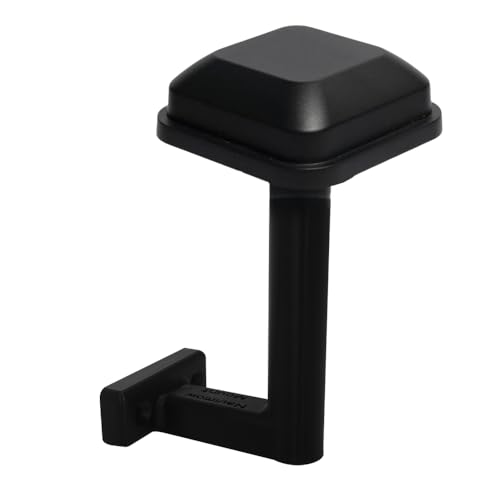
The zbajeuf Wall Mount Bracket is designed specifically for the Ecovacs Goat A/O RTK antenna, providing a secure mounting solution for vertical surfaces. It is ideal for homeowners and landscapers using robotic mowers who need reliable GPS signal reception for precise navigation.
This bracket reduces pole sway, which is a common issue with standard antenna mounts, leading to more consistent signal stability. Users can expect improved RTK guidance accuracy, translating to better mower path planning and fewer navigation errors.
Constructed from sturdy materials, the bracket is built to withstand outdoor conditions. Its compact dimensions (5 x 3 x 5 inches) and black finish allow it to blend seamlessly with most walls or fences. Installation is straightforward, requiring no specialized tools.
One limitation is its specific compatibility; it only works with the Ecovacs Goat A/O RTK antenna. Additionally, as a new product without customer reviews, long-term durability is unverified. Some users may need to purchase additional mounting hardware depending on the surface.
Overall, if you own an Ecovacs Goat A/O RTK mower and want to enhance antenna stability, this bracket is a practical choice. Its focus on reducing sway and simplifying installation addresses key pain points. While not universal, it serves its intended purpose effectively.


1. Poor Base Station Placement
The base station is the anchor of your RTK system. If it’s placed under an overhang, near a metal roof, or low to the ground, it won’t see enough satellites to calculate corrections reliably. It should have an unobstructed view of the sky in all directions, ideally with no trees, buildings, or hills within 30 feet.
Mounting the base station on a pole or on the highest point of your property often solves the problem. Many robot mower manuals recommend a minimum height of 6 to 10 feet above ground level. If you can’t move it, consider trimming nearby branches or relocating the entire setup to a more open area.
2. Rover (Mower) Obstructing the Sky View
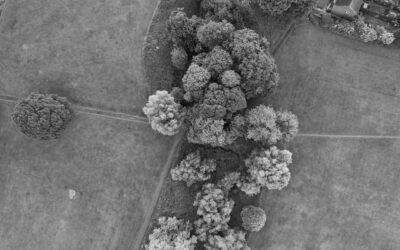
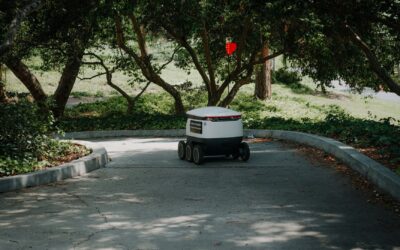
Even with a perfect base station, the rover on your robot mower needs a clear line of sight to the same satellites. Large trees, tall fences, or the side of a house can block or reflect GPS signals as the mower moves.
If the mower loses RTK fix repeatedly in a specific area, walk the perimeter and note overhead obstructions. Thinning canopy branches or adjusting the mowing schedule to avoid low sun angles (which worsen shadowing) can help. Some mowers also have an internal antenna that is more sensitive to orientation; keeping the mower level on slopes also reduces dropout.
3. Radio Frequency Interference
The base station sends correction data to the rover over a radio link, typically in the 433 MHz, 868 MHz, or 2.4 GHz band. Strong WiFi signals, power lines, large metal objects, or even another RTK base station nearby can create interference that degrades or drops the connection.
To test for interference, temporarily turn off nearby WiFi routers or move the base station’s radio antenna away from metal structures. If the mower works better, you’ve found the culprit. Using a higher-frequency radio module or changing the radio channel (if supported) may also help. Keep the base station and mower within the manufacturer’s recommended range, usually a few hundred feet to a mile in open conditions.
4. Multipath and Reflective Surfaces
RTK signals can bounce off reflective surfaces like glass, water, or smooth metal walls before reaching the rover. This “multipath” effect confuses the phase measurements and reduces accuracy. Even the mower’s own chassis or a wet lawn can cause reflections.
You can reduce multipath by avoiding mowing near large glass windows, reflective pools, or sheet-metal sheds. Some RTK receivers have built-in multipath mitigation; make sure your mower’s firmware is up to date. If the problem persists, relocating the mower’s charging station away from these surfaces can help, since the mower often retries its RTK fix near the dock.
5. Satellite Geometry and Constellation Health
Even with perfect equipment, the satellite positions themselves can cause weak signal. GPS, GLONASS, Galileo, and BeiDou satellites move across the sky, and at certain times of day they cluster in one direction, creating poor geometry for RTK calculations. This is more noticeable in narrow yards with limited horizon visibility.
You cannot change satellite positions, but you can check satellite availability using a free app like GPS Test. If signal drops happen at the same time each day, scheduling the mower to run during high PDOP (Position Dilution of Precision) windows may improve fix quality. Multi-constellation receivers (GPS + GLONASS + Galileo) offer more satellites and better geometry overall.
How to Fix Your Robot Mower RTK Signal Step by Step
- Relocate the base station to an open, elevated spot with a clear 360° view of the sky.
- Trim or remove trees and foliage that cast shadows over the mowing area.
- Turn off or move WiFi routers and other 2.4 GHz devices near the mowing zone.
- Move the base station’s antenna away from metal objects and power lines.
- Avoid mowing near reflective surfaces like glass, water, or metal walls.
- Check satellite geometry with a GPS app and adjust the mowing schedule if needed.
Once you’ve improved your RTK signal, the mower should hold its path accurately. For a deeper look at what affects precision beyond signal strength, read our guide on how accurate RTK robot mowers are and what factors influence accuracy. That article covers calibration, firmware updates, and terrain effects that can fine-tune performance even after signal issues are resolved.
Frequently Asked Questions
How far can the RTK base station be from the robot mower?
Most consumer RTK systems work reliably within 0.5 to 1 mile (800 to 1600 meters) in open, flat areas. Obstructions like buildings or trees shorten that range. The key is a clear line of sight for the radio link, not just the GPS connection.
Can trees block the RTK signal?
Yes. Dense foliage blocks GPS signals and also interferes with the radio correction link. A single tree may cause only brief dropouts, but a canopy of trees can make RTK unusable. Trimming branches or removing the mower from under trees often restores the fix.
Does weather affect RTK signal?
Heavy rain, thick clouds, and atmospheric turbulence can degrade GPS signals, but the effect on RTK is usually minor. More impactful is wind moving tree branches that temporarily block the line of sight, or wet lawns that reflect signals and create multipath errors.
Should I use a WiFi extender for my robot mower?
No. A WiFi extender does not help the RTK radio link, which uses a different frequency band. Extenders can actually add interference if they share the same 2.4 GHz spectrum as the base station radio. Keep your mower’s control network separate from the RTK radio.
What is the ideal height for the RTK base station?
Aim for 6 to 10 feet above ground level to get above fence height and low obstructions. Higher is better if you can mount it securely. Avoid rooftops with metal flashing or solar panels, which can reflect signals and actually worsen reception.
Related Guides
Final Thoughts
Improving your robot mower’s RTK signal comes down to giving both the base station and the rover a clear, unobstructed view of the sky while minimizing radio interference and multipath reflections. Once you’ve fixed signal issues, explore how other factors like calibration and satellite count affect overall precision in our comprehensive guide on RTK robot mower accuracy.